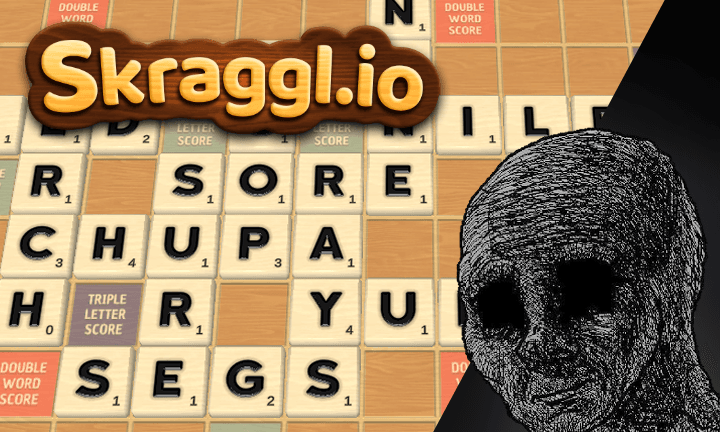
Skraggl.io - simple game, yet frustratingly complex
Have you ever been in a situation where you wanted to explain one of your best projects to a non-programmer, but they just didn't get it? "It looks so simple, how is this impressive?" they might say. It's easy to gloss over "simple-looking" projects, but looks can be deceiving. Here is an example of one of the easiest video game projects I've worked on—VGDC Run & Gun!

But it looks so flashy, how on earth could something like this be easy? Unity—the game engine I used to make it—as well as the dead simple controls (just moving your mouse) were the biggest factors. Enemy navigation only took a few clicks and a few lines of code, the graphics took a few minutes to set up, and even physics and collisions were all handled by the engine.
But how does Skraggl.io compare to VGDC Run & Gun! in terms of difficulty and complexity? It's 100x harder. In this article, I'll try my best to explain why Skraggl.io is my largest and most complex project to date.
I, too, was guilty of assuming this would be a simple project when I first created the Unity project, but I knew there were some caveats. It had to be completely playable on all major browsers and devices (including mobile), since I wanted my game to be accessible by anyone without having to download an app. Most importantly, it had to be a functional multiplayer game with low-latency, real-time gameplay elements.
🔧 Assembling the tech stack
With that in mind, it's time to put together a tech stack. The following Unity stack is inspired by this article by Caner Nurdag. I knew from the beginning that I wanted the project to scale, so I used Zenject—a dependency injection framework for Unity. I'm not going to get into details on dependency injection, but throughout development it helped SO much when it came to refactoring and writing unit tests. Speaking of unit tests, NSubstitute is an auto-mocking library that plays very nicely with Zenject, which lessened the pain of actually writing tests.





The frontend stack was a bit more tricky, since this was my first time integrating a Unity player into a web application. Thankfully, there's this awesome library called React Unity WebGL that makes Unity players work seamlessly with React apps.






Wait... React with Unity? Why not just build the UI with Unity? I have a few good reasons for this decision:
- Users can interact with the UI (such as creating or joining a game) while the Unity player loads.
- I can utilize powerful component libraries like Shadcn UI as well as the React ecosystem.
- Greater accessibility features and UX, especially on mobile. Unity WebGL is known for having many UI issues on mobile/touch devices.
- I have direct access to browser APIs.
Because there were a lot of moving parts and I needed to share state between deeply nested components, I decided to use a state management library.
Huge Mistake #1
One of my biggest mistakes was choosing Redux for state management. This one bad decision cascaded into more and more technical overhead that cost me weeks of refactoring, and eventually (way too late into development) it was replaced by Preact Signals.
Now for the hard part... the backend. Aside from a few Express apps here and there, backend development isn't exactly my specialty. For Skraggl.io, I opted for a mostly serverless architecture for its simplicity and low cost.





Not only do these technologies form the backbone of the game's multiplayer functionality, but it's also the biggest difficulty multiplier for any project. The moment you decide to add any kind of real-time user interaction to your app, be prepared to encounter hundreds of bugs and edge cases you'll never see coming.
Firebase Realtime Database is great for storing game state and keeping each client synced with one another via WebSocket, but it's not the greatest solution for constant low-latency data transmission. For non gameplay-critical features like real-time cursors, shared cameras, and item interaction, it would be a waste of money and resources to transmit that data through Firebase Realtime Database for each player. For that reason, I decided to use WebRTC for those low-latency multiplayer features. WebRTC is commonly used for peer-to-peer voice and video communication on the web, but it also supports sending generic data like JSON, which was exactly what I needed.
Huge Mistake #2
Remember when I said I initially chose Redux for my frontend state management? Well, for some reason I encountered a bug where setting cookies through Next.js server actions or Route Handlers caused Redux to reset all states to their default state, and the only way to prevent this from happening was to reset the dev server after every time I changed the code. Apparently I was the only one on planet earth to have encountered this issue, so my only options were to either replace Redux or migrate my HTTP endpoints. Regrettably, I chose the latter option because I thought it would be less work... boy I was wrong. I chose Google Cloud Functions because it came with Firebase, and I needed it to run scheduled functions anyways. There was a ton of extra boilerplate and configuration, but I got it working eventually—on my local machine, at least. Of course, it all came crashing down when it finally came to deployment.
Lastly, to finish off the stack I included Jest for unit and integration tests and Playwright for end-to-end tests. For developing and testing UI components in isolation, I decided to use React Cosmos instead of Storybook, which personally I find really finicky.





Deploying the app
After purchasing my domain from Cloudflare, deploying the Next.js app on Netlify (I eventually moved to Vercel), and deploying my Google Cloud Functions to Cloud Run, I noticed immediately that the session cookies weren't working as expected. The session cookie is used not only to persist game sessions across refreshes but to also store an encrypted JSON Web Token (JWT) to make authorized requests to my HTTP functions. Without the JWT, the game won't work.
Huge Mistake #3
After lots of painful debugging I figured out what the issue was. It had nothing to do with CORS, but rather I learned that cookies cannot be set or modified unless the function's domain matches the request's domain, or in my case skraggl.io. Of course, this wasn't a problem during local development since everything was served over localhost. At this point I really felt that Cloud Functions were simply causing too much trouble than it's worth, but I decided to double down and painstakingly map every API endpoint to a subdomain "api-{endpoint}.skraggl.io" through Cloudflare. It finally works! But there's a threat looming in the shadows that I haven't accounted for: DDOS attacks.
What bothered me about Cloud Functions and many other services on Google Cloud Platform (GCP) is that their pricing model is pay-as-you-go with no kill-switch if you exceed your budget or free tier. I was confident that my functions were tested well enough that there were no infinite loops, and the Firebase free tier is extremely generous. The only thing I had to worry about was the lack of DDOS protection, which are separate paid services GCP provides. According to many Reddit posts, DDOS attacks are so rare I shouldn't have to worry about it, especially since I have no users yet.
Huge Mistake #4
Trusting Reddit. They're not always right.
I was finally able to try out the game with friends and family, and most importantly I could fix a lot of issues on mobile and Safari. Everything was working fine for a few weeks, until one day one of my functions was suddenly hit by a few thousand requests within an hour. It wasn't nearly enough to take down the app or anything, but it was enough for GCP to charge me a few cents and spook me into rethinking my bad decisions.
It was only a few weeks ago that I decided to bite the bullet and refactor everything. Migrating my API back to Next.js was especially painful since I also had to rewrite dozens of integration tests. Redux was completely removed from the project, and these changes affected hundreds of files. It really bummed me that one bad decision from the beginning would cost me weeks of work, but at least I know what not to do in the future. Nonetheless, the project is now hosted on Vercel, and DDOS protection is included in their free tier.
This article only scratches the surface on some of the technical challenges of this project, and I might write more about it in future blog posts. If you made it all the way here without skimming everything, thanks for reading my first blog post! Skraggl.io is free and available to play right now, but more features are planned and under development.